
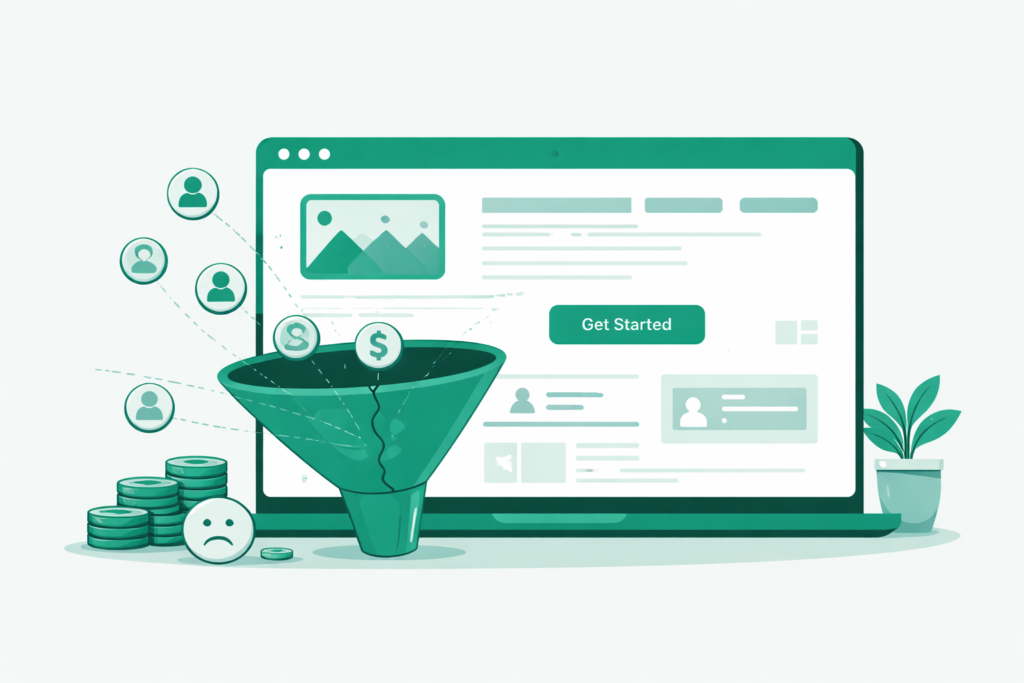
You have a website. It looks decent. You paid someone to build it, or you built it yourself, and it’s live on the internet. People can find it.
So why isn’t the phone ringing?
This is the question we hear more than any other from small business owners across Florida. They have a website. They might even be getting some traffic. But the leads aren’t coming. The contact form sits empty. The calls don’t happen.
The frustrating part is that most of the time, the answer isn’t complicated. It’s not an algorithm change or a technical mystery. It’s one of the same seven mistakes we see on small business websites in Orlando, Maitland, Tampa, and across Central Florida, over and over again.
Let’s go through every one of them.
Mistake 1: Your Website Has No Clear Call to Action
This one is responsible for more lost leads than anything else on this list.
A call to action is the moment you tell a visitor exactly what to do next e.g., Book a call, Request a quote, Get a free audit, Call us now.
Without it, visitors read your content, nod along, and leave. Not because they weren’t interested but because you never told them what to do with that interest.
The majority of small business websites in Florida have a contact page. That’s not a call to action. That’s a destination that visitors have to find on their own, navigate to, and decide to use. Most won’t even go there.
A real call to action is visible without scrolling. It’s on your homepage hero section, above the fold, before a visitor has to do anything. It’s a button with a specific, benefit-driven label, not “Submit” and not “Contact Us,” but “Get a Free Website Audit,” “Book a Free Strategy Call,” or “Get Your Custom Quote Today.”
How to fix it:
Go to your homepage right now and ask yourself: within the first three seconds of landing on this page, is it absolutely obvious what a visitor should do next? If you have to think about it, the answer is no.
Add a primary CTA button in your hero section. Make it specific. Make it low-risk. “Free consultation” converts better than “hire us” because it removes the commitment. Put that same CTA at the bottom of every service page and every blog post. Every page on your website should have a next step, and it should be impossible to miss.
Mistake 2: Your Website Is Too Slow
Visitors don’t wait. Research consistently shows that most people will leave a website that takes longer than 3 seconds to load. On mobile, the tolerance is even lower.
For small businesses in competitive markets like Orlando and Central Florida, a slow website doesn’t just frustrate visitors; it directly costs you rankings. Google measures page speed as a ranking factor through its Core Web Vitals system. A slow site ranks lower. A lower-ranked site gets less traffic. Less traffic means fewer leads. It compounds in the wrong direction.
The most common causes of slow websites for small businesses on WordPress are uncompressed images, too many plugins running simultaneously, no caching system in place, and cheap shared hosting that can’t handle even moderate traffic.
How to fix it:
Run your website through Google’s free PageSpeed Insights tool at pagespeed.web.dev. Enter your URL and look at your mobile score. Anything below 70 is hurting you.
The single fastest improvement for most WordPress sites is image compression. You can install a few free plugins and let them compress every image on your site automatically. You can also consider installing a caching plugin. Between those two changes alone, most small business websites see a 15 to 30 point improvement in their PageSpeed score within an hour.
If your score is still poor after those fixes, the issue is likely your hosting. Budget shared hosting plans throttle performance in ways no plugin can fully overcome. For a service business trying to generate leads, reliable hosting is not a place to cut costs.
Mistake 3: Your Website Isn’t Built for Mobile Visitors
More than 60 percent of web searches in the United States now happen on a mobile device. For local service searches “digital marketing agency near me,” “web designer Orlando,” “SEO services Maitland FL,” “Plumber near me” that number is even higher. The person searching for a local business on their lunch break is almost always doing it from their phone.
If your website is difficult to use on mobile, has tiny text, buttons too close together, images that overflow the screen, forms that are hard to fill out, you are actively turning away the majority of your potential leads before they even read a single word of your content.
This is not a minor issue. Google also indexes your website based on its mobile version first, under what is called mobile-first indexing. If your mobile experience is poor, your rankings suffer regardless of how good your desktop version looks.
How to fix it:
Open your website on your phone right now. Not on a desktop simulator on your actual phone. Try to navigate it as a first-time visitor. Try to find the contact page. Try to fill out the form. Try to read the homepage text.
If any part of that feels frustrating, your visitors feel it too. For WordPress users, switching to a mobile-optimized theme is often the most effective fix. Your theme controls how your site renders on mobile, and not all themes handle it well.
Mistake 4: Your Website Has No Trust Signals
Here is the reality of how people evaluate a service business online: they look for reasons not to trust you before they look for reasons to hire you. It takes about seven seconds for a visitor to decide whether your website feels credible or not. If it doesn’t pass that gut check, they hit the back button and call your competitor.
Trust signals are the elements of your website that tell a first-time visitor: this is a real business, run by real people, that has genuinely helped real clients. Without them, your website is just words on a screen. Anyone can write words on a screen.
The most powerful trust signals for a small business website are: client reviews and testimonials with full names and businesses, real case studies with before-and-after results and specific numbers, a founder or team page with actual photos and a personal story, industry certifications or accreditations, press mentions or notable clients, and your physical address, even if you work remotely.
How to fix it:
Start with what you have. If you have Google reviews, embed them on your homepage. There are free WordPress plugins that pull your live Google reviews directly onto your site. If you have one strong client result, build a case study page around it. If you have a certification, put the badge somewhere visible. If you have a real founder story, tell it on your About page, not in corporate language, but in plain human terms.
For small businesses in Florida competing against larger corporations, this is actually your advantage. The personal story of an Orlando entrepreneur building a real business that genuinely cares about locals is more compelling than a polished corporate about page.
Mistake 5: Your Website Talks About You Instead of Your Customer
Read your homepage right now. Count how many times it uses the words “we,” “our,” or the name of your business in the first three paragraphs.
Most small business websites are written entirely from the company’s perspective. “We offer premium digital services. We have 10 years of experience. We are dedicated to client success.” The entire page is about the business.
Your visitor doesn’t care, not yet. They arrived at your website with a specific problem. They need help with something. They want to know, within seconds of landing on your page, that you understand their problem and that you can solve it.
The most effective small business websites are written from the customer’s perspective first. They lead with the problem, not the solution. They speak to the pain before they introduce the service. They make the visitor feel understood before they ask for anything.
How to fix it:
Rewrite your homepage headline and first paragraph with this framework in mind: what is the specific problem your best customer is experiencing, and how does your business solve it?
This alone would make a huge difference, and your business will start getting more leads.
Mistake 6: You Have No “Lead Magnet” or Reason to Come Back
The vast majority of first-time website visitors are not ready to buy. They’re researching. They’re comparing options. They might come back in two weeks when they’re ready or they might end up hiring whoever stayed in front of them during that two-week window.
If your website has no mechanism for capturing a visitor’s contact information or staying in touch with them, you are handing those warm leads to your competitors. The visitor leaves, life gets busy, they forget about you, and they end up hiring someone else.
A lead magnet solves this. A lead magnet is something of genuine value that you offer in exchange for an email address, a free website audit checklist, a guide to local SEO for Florida businesses, a free 15-minute strategy call, or a downloadable template. It doesn’t need to be elaborate. It needs to be genuinely useful to the exact person you’re trying to attract.
How to fix it:
Start with one lead magnet and one email capture form. The lead magnet should solve a specific problem your ideal client has. For a digital marketing agency in Central Florida, a “free local SEO checklist for Orlando small businesses” is something your target client would download in a heartbeat.
Use a free tool like Mailchimp to collect and store the emails. Install a simple opt-in form on your homepage and at the bottom of every blog post. Then send a monthly email with one useful tip. That’s the entire system. It keeps you in front of warm prospects until they’re ready to hire you, and makes sure that when they are ready, you’re the first name they think of.
Mistake 7: Your Website Has No SEO Foundation
You can fix everything else on this list and still get zero leads if nobody can find your website in the first place. Traffic is the prerequisite for leads. And for most small businesses, the most sustainable, cost-effective source of consistent traffic is search engine optimization.
An SEO foundation is not complicated. It is not about gaming Google or chasing algorithm updates. For a local small business website, it means four straightforward things: your pages have specific target keywords in their titles and headings, your meta titles and descriptions are written to attract clicks, your Google Business Profile is verified and optimized, and your website loads fast and works on mobile.
Most small business websites in Florida are missing two or three of these basics. They were built by someone who focused on design without thinking about discoverability. The website looks good but Google doesn’t know what it’s about, who it serves, or where the business is located.
How to fix it:
Install a free SEO plugin on WordPress. It will walk you through optimizing every page and post with a traffic-light system, green means good, red means fix this. Set a focus keyword for every page. Write a meta title and meta description for every page. Make sure your city and state appear naturally in your homepage copy and footer.
Then go further. Create dedicated service pages for each city you serve, a “web design Orlando” page, a “digital marketing Maitland FL” page, and a “SEO services Central Florida” page. Each one targets a different local keyword cluster and gives Google a clear, specific reason to show your website to people searching in those areas.
This is the difference between a website that sits quietly online and one that actively generates leads every month.
The Common Thread Running Through All Seven Mistakes
Every mistake on this list comes down to the same root cause: the website was built to look good rather than to work hard.
A good-looking website without a clear CTA, fast load times, mobile optimization, trust signals, customer-focused copy, a lead capture mechanism, and an SEO foundation is not a business asset. It’s a digital brochure. It exists. It can be found. But it doesn’t do anything.
The businesses generating consistent leads from their websites in Orlando, Maitland, and across Florida are not necessarily the ones with the most beautiful designs. They’re the ones with websites built around a single purpose: turning visitors into customers.
Every one of these mistakes is fixable. None of them require a complete rebuild. Most of them can be addressed in a single, focused afternoon.
The question is whether you fix them or keep leaving leads on the table.
Not Sure Where Your Website Is Falling Short?
At GoBrandify, we offer free website audits for small businesses across Maitland, Orlando, and Central Florida. We’ll tell you exactly which of these mistakes are costing you leads, and what it would take to fix them.
Book your free website audit and let’s find out what your website is actually worth.
About the Author:
About GoBrandify
GoBrandify helps businesses grow through modern websites, digital marketing strategies, and data-driven solutions that increase visibility and deliver real results online. Click to learn more.